
Puffin TV Browser
CloudMosa IncCommunication
1.7123.00 Reviews
- Version
- 10.1.1.70327
- Installs
- 10.00M
- Age Rating
- Everyone
Screenshots
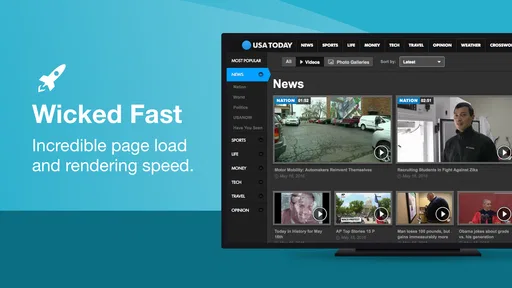
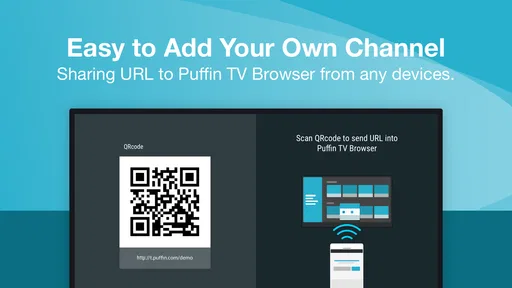
Our Review of Puffin TV Browser
 Analysis by Appyee
I approached Puffin TV Browser as a communication app with a very specific purpose: making web video easier to reach from a television. That focus matters. This is not simply a smaller version of a familiar phone browser, and it does not feel designed for long sessions of typing, shopping, or managing complicated websites. Its appeal begins when the screen in front of you is large, the remote is basic, and the video you want is somewhere on the web rather than inside a conventional TV app.
CloudMosa Inc developed it for people who want a more flexible way to browse and watch web content from a TV environment. The app is free, carries an Everyone age rating, and supports devices running Android 7.0 or later. It has passed ten million installs, so the idea clearly reaches a substantial audience, although the average rating of 1.7 from roughly 5.8 thousand ratings tells me that the experience is far from universally smooth. I would treat that rating as a warning to test it with your own television and network rather than assuming it will solve every living-room browsing problem.
Where the network becomes part of the experience
The first thing I noticed is that the app’s usefulness rises and falls with the connection. When a page loads promptly and the video begins without repeated interruptions, Puffin TV Browser can turn a television into a more open web screen. That is handy when a creator, local organization, school, or niche service publishes video on a website instead of offering a dedicated TV application.
That same flexibility creates a less predictable experience than using a purpose-built streaming service. A dedicated app usually presents a controlled interface, known playback behavior, and navigation designed around a remote. A browser has to deal with many different page layouts. Some are comfortable from a sofa; others assume a mouse, touch screen, keyboard, or precise pointer. Puffin can make web video reachable, but it cannot make every website feel as if it was built for television.
For me, the best use is a short, intentional viewing task. I might open a page for a particular video, follow a simple set of links, and then stop. The further I move into a busy website, the more the remote becomes a limitation. Menus, pop-ups, embedded players, and small controls can turn a quick search into a slow sequence of selections. The browser is most convincing when the destination is known and the page is reasonably straightforward.
Connectivity also affects the emotional side of the product. On a phone, a delay is easy to tolerate because I can switch apps or move closer to a stronger signal. In a living room, the remote and television make every pause more visible. A blank page or stalled player feels like the whole setup has failed, even when the underlying problem is simply a weak network path. I would not judge the app fairly without checking the connection between the Android device or TV setup and the home network first.
Why web video can be worth the extra friction
There is a useful gap between normal mobile browsing and closed television platforms. Some videos are available through web pages but not through the official app store on a TV. Others are part of an event page, an organization’s site, or a creator’s own presence. Puffin TV Browser gives those pages a chance to become part of the television experience instead of forcing me to watch everything on a small phone.
That advantage is practical rather than glamorous. I would choose it for occasional access to web-based video, not as my only route to entertainment. If nearly everything I watch already exists in well-designed TV apps, the browser adds another layer of navigation without offering much in return. In that situation, the usual alternatives are simpler and more dependable.
One non-obvious trade-off is that a browser can be more flexible precisely because it is less consistent. A normal streaming app teaches me one navigation pattern and repeats it. Here, the website controls much of the experience. Before a family viewing session, I would open the page and test the important controls rather than discovering during the program that the player’s full-screen button or menu is awkward to reach with a remote.
How it fits mobile and living-room situations
Although the product is associated with TV use, the Android requirement makes it relevant to people working across mobile and television contexts. I see the phone or tablet as a preparation tool when the TV interface is inconvenient: find the page, remember the exact title, and decide whether the content is worth opening on the larger screen. The app makes more sense when the final viewing position is the living room, not when I am simply trying to browse quickly in my hand.
A realistic everyday example would be a family member sending me a video hosted on a community website. On a phone, I can watch it immediately, but everyone else has to gather around a small display. With Puffin TV Browser, I can try opening the same web destination on the television and let the group watch from the sofa. The benefit is not that the browser replaces every TV service; it is that one web page may become usable in a shared setting.
There is also a useful scenario for occasional travel or temporary setups. If I am using an Android-based television environment where a particular video service does not have a convenient native application, a browser may be a practical fallback. I would still check the network before relying on it, because a temporary connection with limited stability can make browser-based playback frustrating very quickly.
The remote changes how I evaluate the app. On a phone, touch gives me direct control over links and video buttons. From a couch, I have to move through the interface more deliberately. This makes simple pages feel excellent and complex pages feel tiring. I would skip it if my main goal is intensive web research, account management, or frequent text entry. A standard mobile browser is better for those jobs because touch and a phone keyboard remove much of the friction.
People often ask whether a TV browser can replace a streaming box. In my experience, this one should be viewed as an additional route to web content, not a universal replacement. A dedicated streaming device or native TV application remains the better choice for regular viewing, polished search, predictable playback, and household members who do not want to learn a different browsing process.
The app’s Everyone rating makes it approachable for a broad household, but that does not mean every website will be equally comfortable for every viewer. Parents and other household decision-makers should still consider the pages being opened, because the browser provides access to the web rather than a single curated catalog. The age label describes the app’s general classification, not every destination a user might visit through it.
A small workflow that makes remote browsing easier
I found that the experience benefits from treating the browser like a destination tool rather than a place to wander aimlessly. I would first identify the exact website or video on a phone, then open the same destination on the TV, and only afterward explore related pages. This reduces the amount of text entry and avoids spending the first several minutes navigating a home page that was designed for touch.
Another practical habit is to pause before playback and let the page settle. Web pages can load their structure before all media elements are ready. Pressing buttons repeatedly during that stage can create confusion: a control may respond late, or the selection may move after a new part of the page appears. Waiting a moment and making one deliberate input at a time is less exciting, but it makes remote use more manageable.
I would also keep a short mental list of the pages that work well in this environment. A clean video page with large controls is a good candidate for repeat use. A site filled with layered menus, advertising panels, or tiny links is not. This is a specific strength of the browser: once I discover a web destination that behaves sensibly on the TV, I can return to it without expecting the entire web to be equally friendly.
What happens when playback or loading goes wrong
Connectivity failures are where my patience is tested most. A slow page can look like an app problem, a website problem, or a network problem, and the television gives me fewer clues than a desktop browser. If a video does not start, I would first wait briefly, then try a simple page in the same browser. If that page also struggles, I would check the home connection before repeatedly reloading the player.
When only one video page fails, the website itself may be the more likely source of trouble. Pages use different embedded players, scripts, and layouts, so success with one destination does not guarantee success with another. This is an important limitation: Puffin TV Browser opens the door to web video, but it does not control how each site delivers that video.
My recovery approach would be deliberately simple. Stop unnecessary tabs or pages, return to the main browser view, and reopen the destination rather than pressing the remote many times. If the network has briefly dropped, giving it a moment to recover can be more effective than starting several overlapping loads. I would also avoid judging the app after one bad page; I would test a second, uncomplicated destination to separate a site-specific failure from a broader connection issue.
There is a trade-off between convenience and diagnosis. A dedicated app usually tells me less about the web page but gives me a clearer playback path. Puffin exposes more of the web, so a failure can involve the page, the player, the connection, or the TV interface. That makes it more versatile, but it also means the user has to be comfortable with a little troubleshooting.
One question I would ask before installing is whether the app can guarantee smooth playback on every site. My answer is no, and that is not a criticism unique to this product; it is the nature of browser-based video. The sensible expectation is selective usefulness. If the pages I care about load and play well, the app can be valuable. If my viewing depends on one demanding website, I would test that exact site before building a routine around it.
The current version is 10.1.1.70327, which is useful to know when checking compatibility or discussing a problem with another user. Still, a version number alone cannot remove the differences between televisions, Android builds, remotes, websites, and network conditions. I would update through the normal app channel when available, then retest the specific page that matters rather than assuming every older behavior has changed.
Using it without wasting more connection than necessary
Because video is the central task, network use deserves attention. I would not start a long viewing session on a connection that is already struggling with ordinary web pages. A browser can make a television feel more capable, but it cannot create bandwidth or stability. If several people are using the same home network, playback may become less reliable at the exact moment the household wants to watch together.
A practical data-conscious workflow is to use the phone for discovery and the TV browser for the final viewing step. That avoids loading several unrelated pages on the larger screen and reduces the time spent browsing before playback. I would also close a page when I am finished rather than leaving video content active in the background, especially on a network where every connected device matters.
People using a limited mobile hotspot should be especially careful. I would reserve Puffin TV Browser for short, planned sessions and monitor the connection rather than treating it like a lightweight text browser. The app is free to download, but that does not make the network cost of web video disappear. Optional in-app purchases range from forty-nine cents to ninety-nine cents per item, so I would review any purchase prompt carefully and avoid assuming that every capability is included without cost.
The strongest data-saving decision is often choosing the right source. If a site offers a direct, uncomplicated video page, I would use that instead of repeatedly navigating through image-heavy sections and auto-playing content. This is not a special setting I would promise the app provides; it is a browsing habit that reduces unnecessary loading and makes the TV experience easier to control.
Another useful trade-off is quality versus reliability. When a website presents playback choices, I would favor the option that matches the connection instead of automatically selecting the most demanding stream. The exact controls depend on the site, so I would not expect Puffin itself to standardize them. The browser’s role is to reach the page; the page still determines much of the viewing behavior.
Who should install it, and who should pass
I would recommend trying this app if you regularly encounter web videos that you want to share on a television, especially when a native TV application is unavailable or inconvenient. It is also a reasonable experiment for households that already use Android TV hardware and want a broader web route without immediately buying another device.
I would be more cautious if you want a polished, family-proof interface. The low average rating, 1.7, suggests that many users have encountered enough friction to leave a poor score. Ratings do not explain every individual case, but they reinforce my advice to test the exact hardware, connection, and websites you plan to use. The app’s ten-million-plus install count shows broad interest, not a guarantee of equal results on every setup.
I would skip it when your priority is offline viewing, highly predictable playback, or fast text-heavy browsing. This is a network-dependent browser experience, and its value comes from reaching live web pages. Someone who mainly watches established streaming services will probably be happier with their official TV apps. Someone who needs to write, search extensively, or manage complex accounts will usually find a normal mobile or desktop browser more comfortable.
Cost is not a major barrier because the app is free, but I would still treat optional purchases as a reason to read prompts rather than tapping through automatically. The price range of forty-nine to ninety-nine cents per item is small, yet the more important question is whether the feature connected to a purchase improves the particular workflow I care about. I would install it first, test my regular pages, and only then decide whether anything extra is worthwhile.
My connectivity verdict
Puffin TV Browser is at its best when I need a bridge between an ordinary web page and a shared television screen. Its strength is access: it gives web video a chance to fit into a living-room routine where a phone screen would be too small and a native TV app may not exist. The experience can feel surprisingly useful when the page is simple, the connection is steady, and the destination is known in advance.
Its weakness is the same flexibility. Every website brings its own controls and loading behavior, and the remote is not an ideal substitute for touch or a keyboard. Recovery from a failed page requires patience and basic troubleshooting. I would not install it expecting a universal streaming platform; I would install it as a practical specialist tool for specific web-video situations.
For my recommendation, the decision is straightforward: try it if web access on your TV solves a real problem, and test the sites you actually use before relying on it. Keep a native streaming app or a normal mobile browser for the tasks this tool handles poorly. The right question is not whether it replaces every alternative, but whether its extra reach is worth the network and navigation trade-offs in your home. In that narrower role, it can earn a place, provided your connection and chosen websites cooperate.
Verdict
Strengths of Puffin TV Browser
- Optimized for TV remotes and large-screen navigation
- Cloud rendering helps load some demanding web pages smoothly
- Supports Flash content on compatible websites
- Includes private browsing for sessions you do not want saved
- Works with many Android TV devices and streaming boxes
Limitations of Puffin TV Browser
- Requires a subscription or limited free access in some regions
- Cloud-based browsing may raise privacy concerns
- Video playback quality depends heavily on your internet connection
- Some websites may block Puffin’s cloud-based access
- The interface can feel dated compared with modern TV browsers
Similar Picks in This Category
View All
Google Messages
Google LLC4.6

Gmail
Google LLC4.1

Google Meet
Google LLC4.4

Google Chrome
Google LLC4.1

WhatsApp Messenger
WhatsApp LLC4.6

Carrier Services
Google LLC4.2
Frequently Asked Questions
What is Puffin TV Browser, and what is it designed for?
Puffin TV Browser is a web browser designed primarily for Android TV and other television-based devices. Its interface is adapted for remote controls, making it easier to open websites, search for information, and browse content from a large screen. During testing, its main appeal was the simplified TV-friendly navigation rather than offering the same full feature set as desktop browsers.
Is Puffin TV Browser free to download and use?
Puffin TV Browser may be available to download without an upfront charge, but access and usage can depend on the current subscription model, region, device, and version offered through the relevant app store. Some features or browsing time may require payment. Before installing, check the listing for the latest pricing, trial conditions, renewal terms, and supported countries to avoid unexpected charges.
Can Puffin TV Browser access all websites and online video services?
Puffin TV Browser can open many standard websites, but compatibility is not guaranteed for every page or service. Websites that require advanced security checks, unusual browser features, specific codecs, or desktop-style interaction may not work correctly. Streaming platforms can also impose their own restrictions, so users should not assume that Puffin TV Browser replaces official TV applications for services such as video or subscription platforms.
Does Puffin TV Browser protect my privacy and browsing data?
Puffin TV Browser uses a cloud-based browsing approach for processing and delivering web content, which can help performance on some devices but also means users should understand how their traffic is handled. Privacy practices may change between versions and regions. Before using the browser for sensitive accounts, review its privacy policy, permissions, data practices, and available security settings, especially when browsing on a shared television.
What devices and controls are compatible with Puffin TV Browser?
Puffin TV Browser is intended for compatible Android TV devices, smart televisions, and TV boxes, although availability can vary by manufacturer, operating-system version, and country. It is generally designed to work with a remote control, but navigation may be easier with a supported keyboard, mouse, or air mouse for complex pages. Check the official store listing before downloading to confirm compatibility.
